Problem
Small business buyers know what their team needs to do, not which model does it. A large laptop catalog turns a simple purchase into a research project.
Who it's for: an office manager or owner at a 10 to 100 person business, buying 5 to 25 laptops for their team. They aren't IT experts, they're short on time, and they want to be confident they're buying the right thing.
A good salesperson doesn't read you the whole catalog. They ask a few questions and recommend a few options. An AI concierge can do the same online, as long as every fact it states is true.
Before anything gets built, four assumptions need checking: that these buyers browse many product pages before buying or leaving, that they describe needs as tasks ("video calls, spreadsheets") rather than specs, that wrong-fit purchases drive returns, and that they want a recommendation, not just better filters. Each one has a matching check, from analytics and site search terms to five to eight short interviews with recent buyers.
Solution
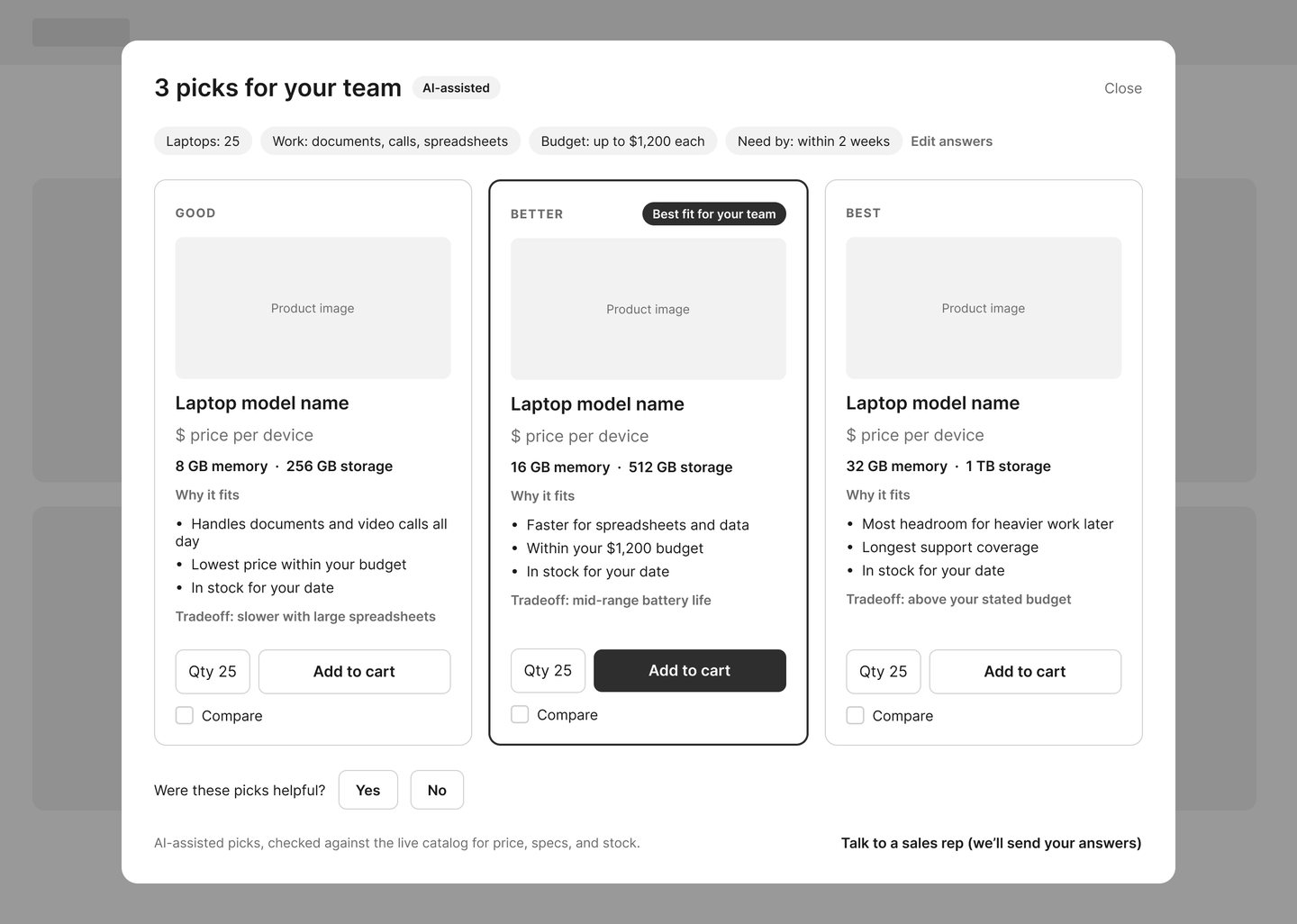
A "Help me choose" concierge that asks four or five plain-language questions and returns three grounded recommendations: good, better and best, each with a reason and a tradeoff.
- Buyer clicks Help me choose
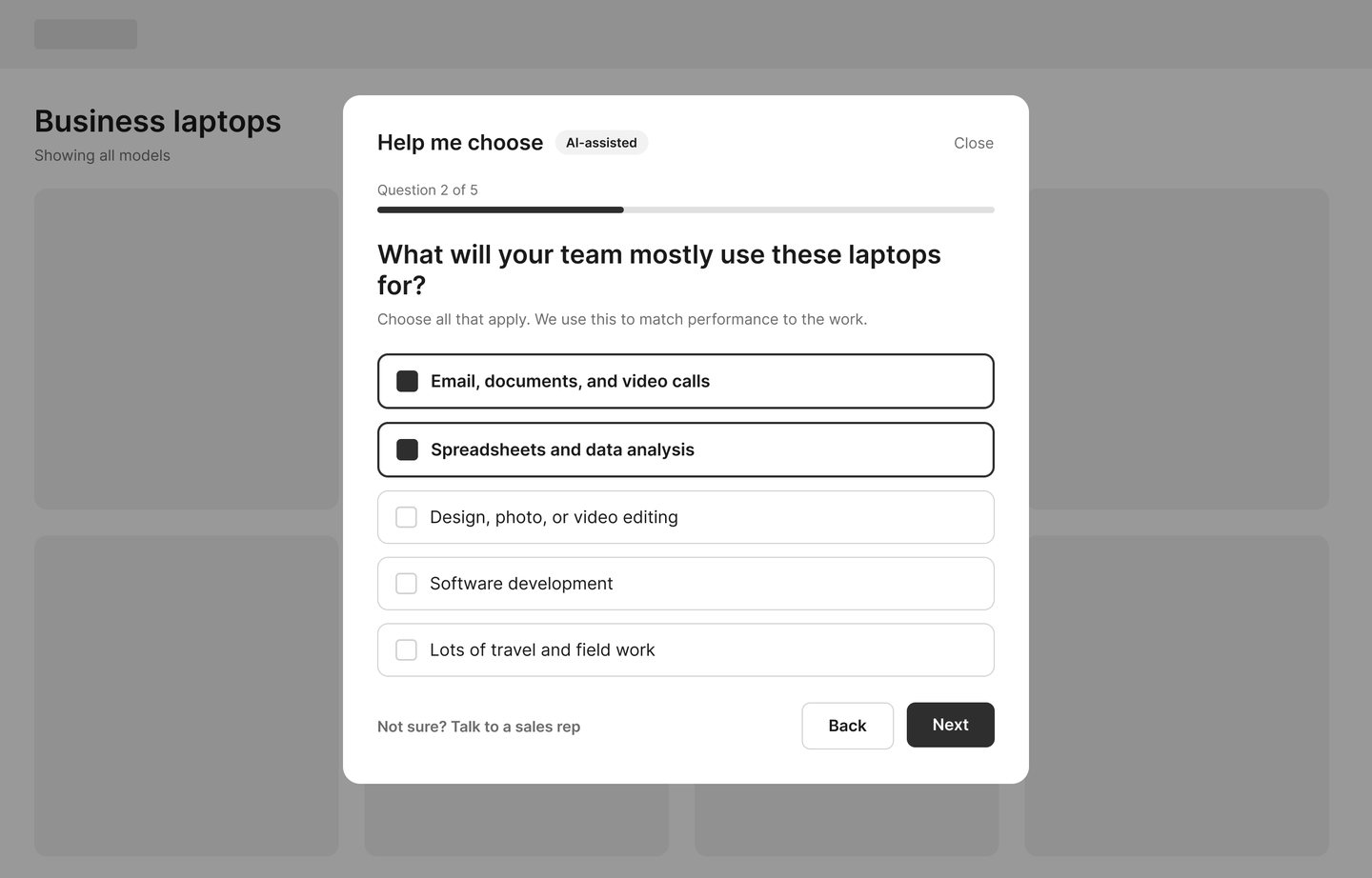
- Answers four or five plain questions
- Facts are pulled from the live catalog No invented specs or prices
- Good, better and best picks, with reasons
- Compare, add to cart, or hand off to a sales rep
The retrieval step is the safeguard. Every spec, price and stock status the buyer sees comes from the catalog, not the model.
- First version is deliberately small: business laptops only, one region, one language, small business visitors only, and checkout left exactly as it is.
- Left out on purpose: accessories and warranties until laptop accuracy is proven, consumer shoppers until one audience works, and custom pricing because it's high risk and needs sales and legal sign-off.
Wireframes
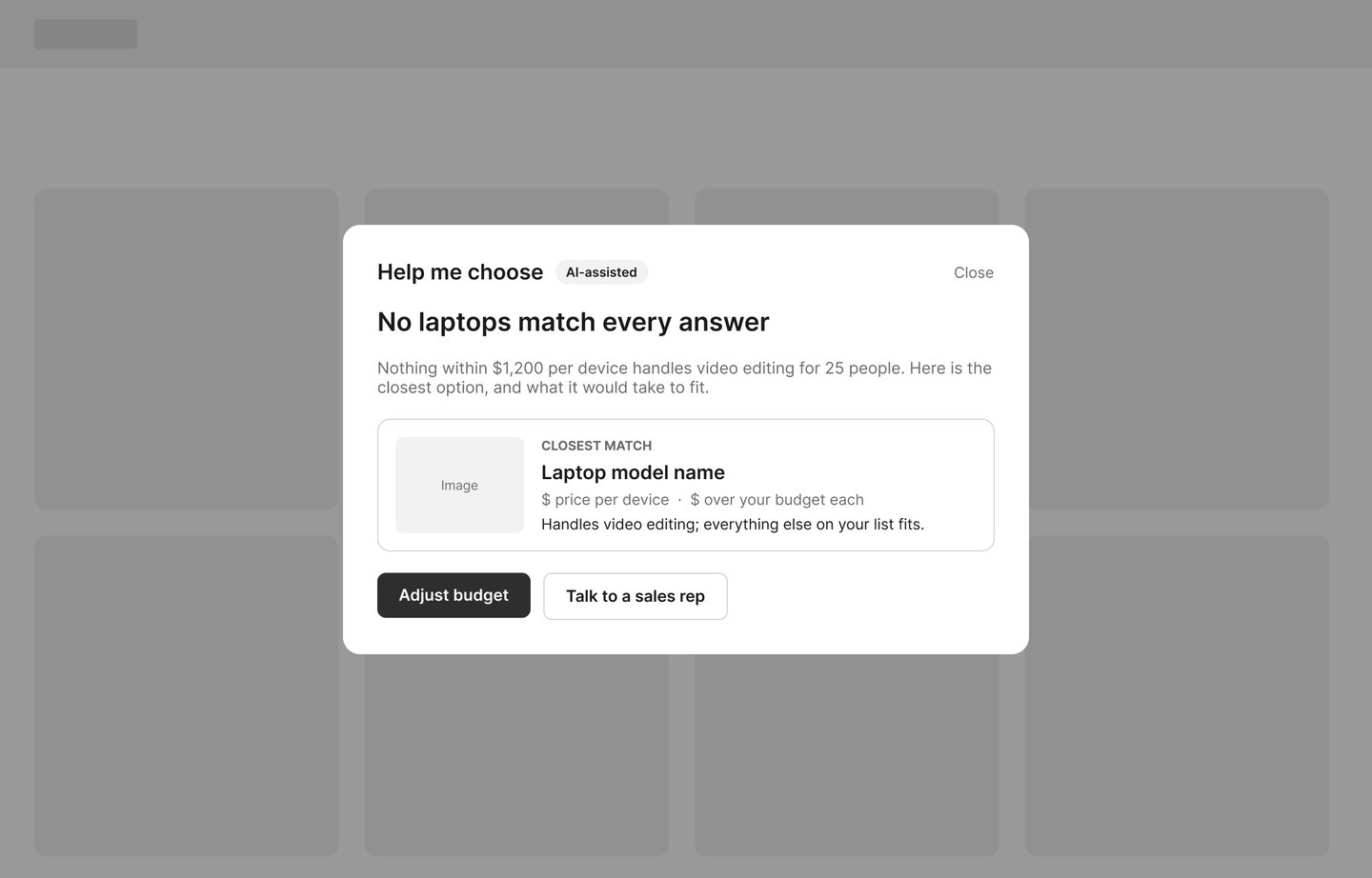
Four low-fidelity screens built in Figma with auto layout, including the two failure states the concierge has to handle honestly. I kept them grayscale so the conversation is about the flow, not the colors.
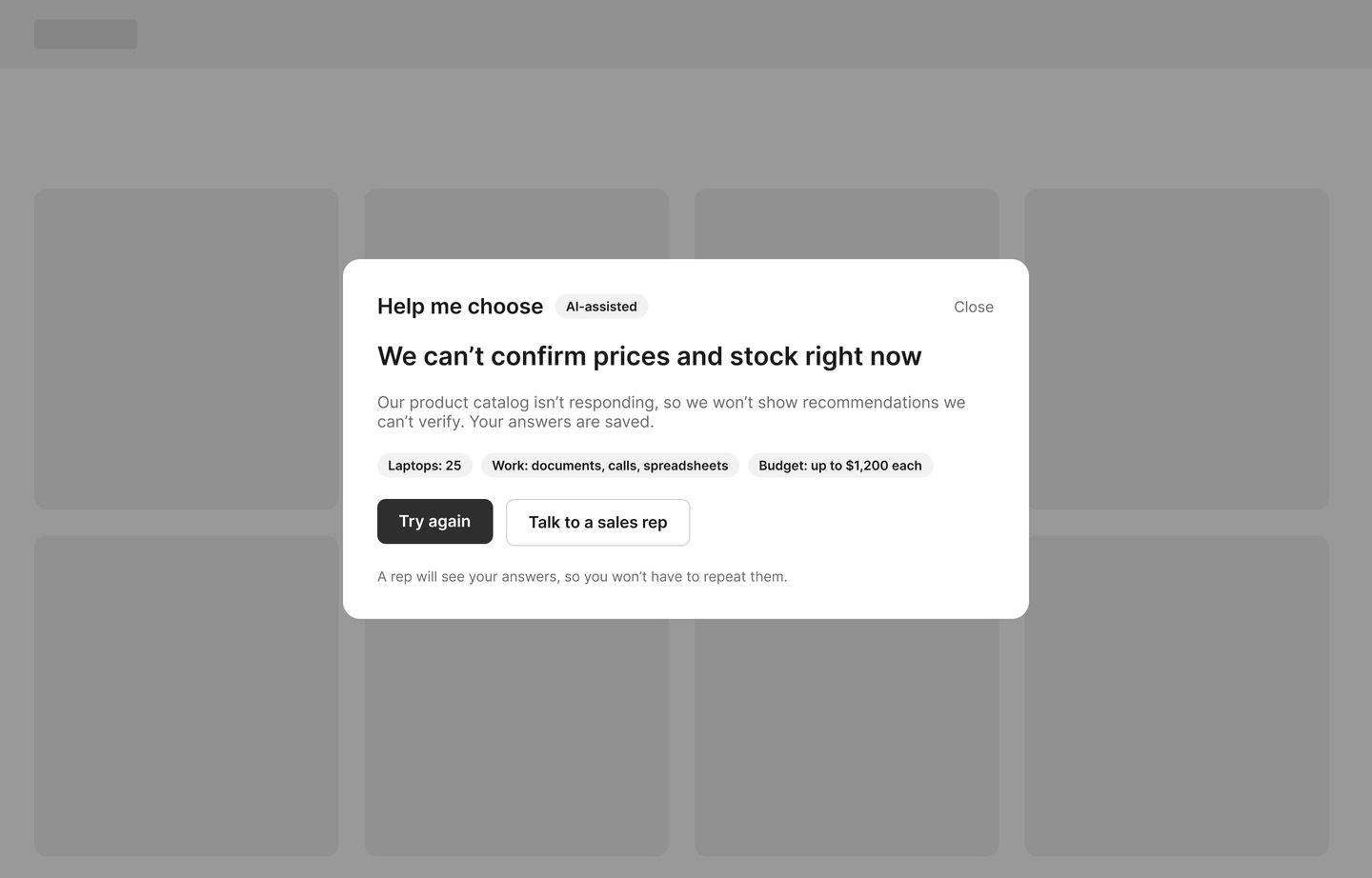
The catalog-unavailable screen at the top of this page is the fourth. It shows no recommendations it can't verify, keeps the buyer's answers, and passes them to a sales rep so nobody has to start over.
Measuring success
The concierge succeeds if more small business visitors buy the right laptops, without more returns or wrong answers. Targets are starting proposals, set against a baseline measured first.
- Primary: conversion rate for sessions that use the concierge, compared with a control group.
- Secondary: time from first question to add-to-cart, and average order value, which shouldn't drop.
- Guardrails: no increase in returns, 100% of specs and prices matching the catalog, and a "Were these picks helpful?" question tracked weekly.
AI quality gets its own plan. Before launch, a test set of about 200 real buyer questions, each with an expert-approved answer, scores whether facts match the catalog, whether the pick fits the stated needs, and whether it behaves safely, like declining to promise discounts. After launch, about 50 real conversations get reviewed each week, plus every "No" on the helpfulness question, and any failure joins the test set so it can't happen twice.
Risks and rollout
The biggest risk is a confident wrong answer, so accuracy gates every step of the rollout.
- Wrong spec, price or stock: every fact is retrieved from the live catalog, and price and stock are shown from the catalog, not generated text.
- Pushy upselling: the best fit is recommended first, and every tier shows its tradeoff.
- Collecting too much data: it only asks about the purchase and stores nothing personal beyond the session without consent.
- Cost per conversation: tracked against revenue lift, with a smaller model for simple questions.
The rollout runs in four steps: pass the 200-question test set offline, a two-week pilot with sales reps flagging bad answers, an A/B test on 10% of traffic, and expansion only if conversion improves and every guardrail holds.
What's next
The wireframes settle the flow. I'm designing the final screens directly in code, so the visual design and the build happen together and every state behaves for real. I'll add each step here without replacing the wireframes, so the progression stays visible.